


How it Works
Natürlich. Info-Cube
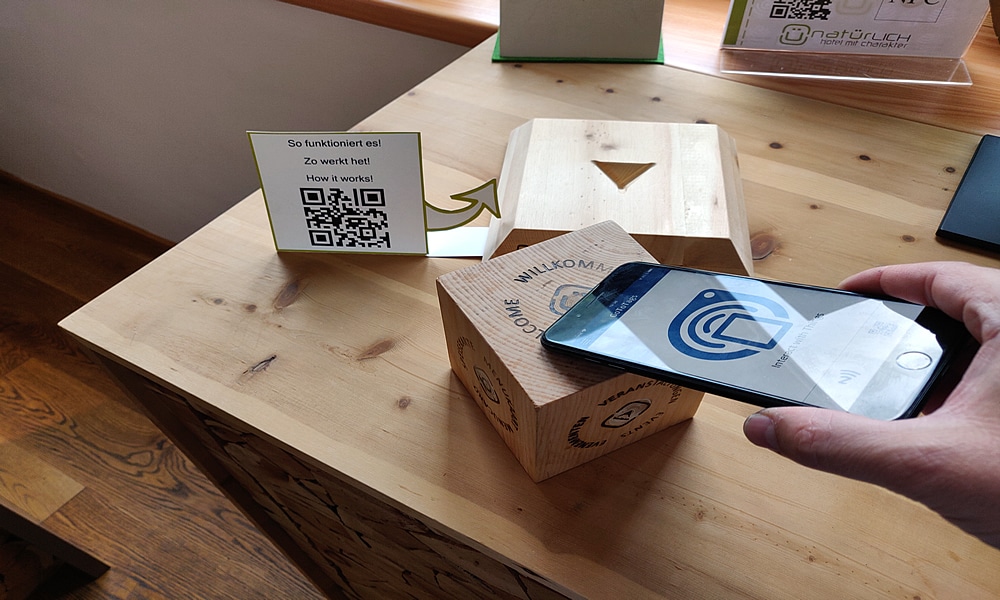
Instructions for Android users (Samsung, Huawei):
1. Activate NFC on your smartphone. Here are three ways how you can do this:
A. Drag your toolbar from the top of the display, find the NFC icon and activate it.
B. Go to your main menu and then Settings > Connections and activate the “NFC and Payment” options.
C. Go to your main menu, in the top search box and type: NFC. Tap on it and activate the NFC and payment option.
If you need additional video instructions, please click HERE.
2. Make sure your smartphone is connected to the internet and is connected to WiFi or a cellular network.
3. Place and tap with your smartphone on the desired surface of the cube.
4. Have fun with the content!
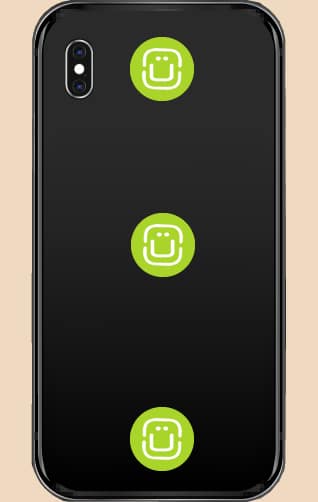
Note: In the following picture you can see where the NFC-reader is located on the back of your Android smartphone depending on the manufacturer.
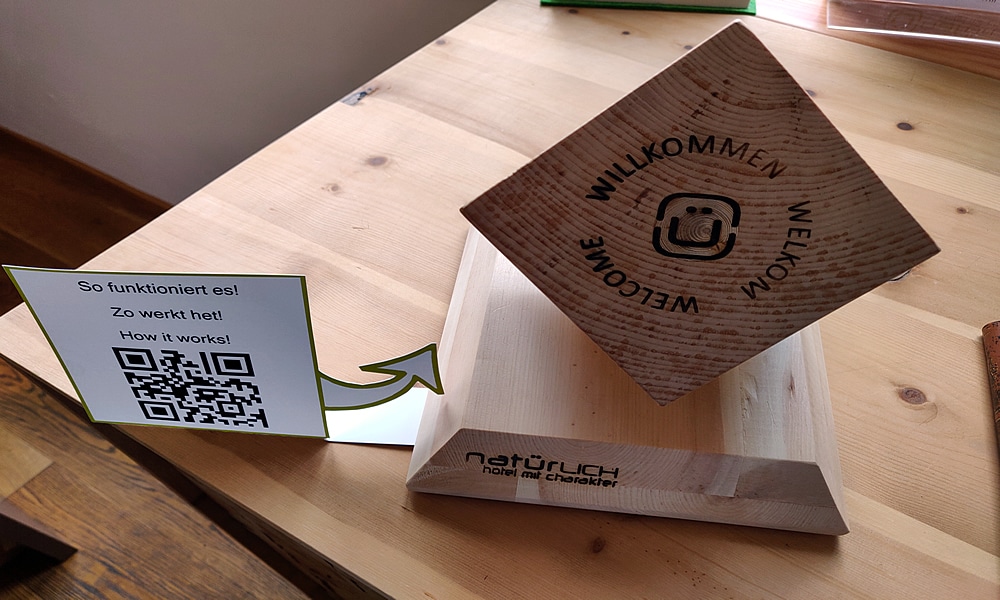
Instructions for iOS users (Apple iPhones):
for iPhone 7 / 8 / X
1. Please click the App Store download button below the text to download the app (Go Go Tags) from the Apple Store to enable NFC on your device.
2. Activate the app (Go Go Tags), press the N symbol and tap the desired surface of the cube.

for iPhone XR / XS / 11 and newer – DOWNLOADING AN APP NOT NECESSARY
1. Unlock your device and tap the desired area of the cube with your iphone for about 2 seconds.
2. Have fun with the content!
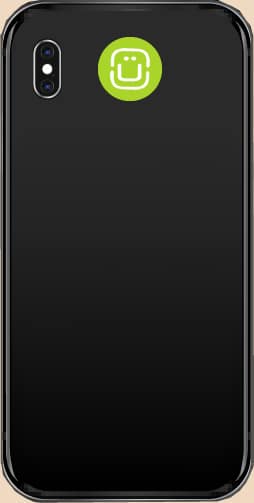
Note: In the following picture you can see the location of the NFC reader of your iPhone.
Info cubes in cooperation with Maiccube – Design and development